Download the r444 App — Play Casino & Sports from Your Phone
The r444 App brings over 1,500 games and live sports betting straight to your Android phone. Deposit with bKash or Nagad in under 2 minutes. Free to download — no browser needed.
- Safe & Verified APK
- Android 8.0+
- 58 MB
- bKash & Nagad
- 24/7 Support
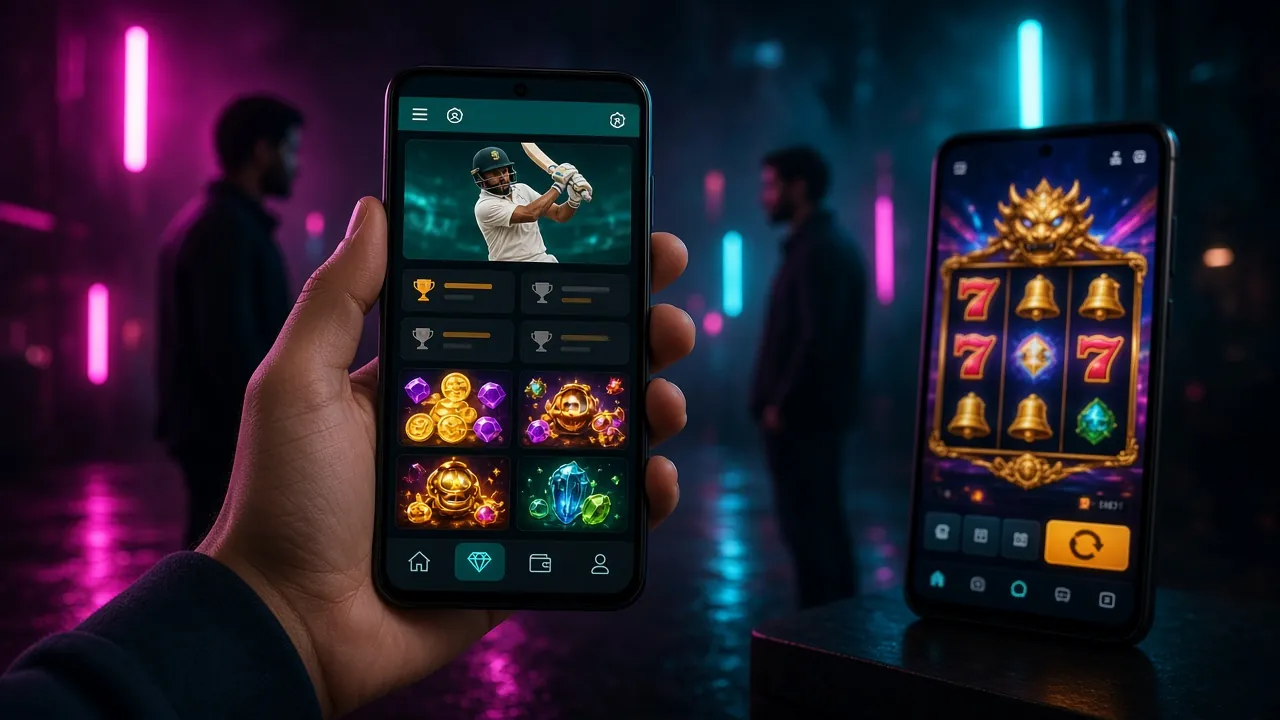
r444 App Overview & Download
Everything you need to know before you tap "Download" — file details, what's inside the app, and how to get the QR code on your phone.
Download r444 APK
This APK is the official r444 file. Do not download from third-party sites.
Scan to download
- Version 2.3.16
- Updated 3 Nov 2026
- Completely free
- 1,500+ games
- bKash, Nagad, Rocket
- 24/7 Live Chat
What You Get in the r444 App
Six reasons why players in Bangladesh use the app over the browser — speed, convenience, and features built for mobile.
Fast Loading on Any Network
The r444 App is built for Bangladesh mobile networks — 3G, 4G, and Wi-Fi. Pages load faster than the browser version because the app caches assets locally. Even on a weak signal, the lobby opens in under 3 seconds. This makes it practical for players on Grameenphone or Banglalink data.
1,500+ Games in One Place
Slots from PG Soft and CQ9, live dealer tables from Evolution, Crash games from Spribe, and fishing games from KA Gaming — all inside one app. Browse by provider or category, add favourites, and jump back in without finding the game again. No browser tabs needed.
bKash & Nagad Deposits in 2 Minutes
Tap the Deposit button, choose bKash, Nagad, Rocket, or Upay, and follow the in-app prompt. The minimum deposit is ৳500. Funds arrive in about 2 minutes. The app keeps your payment history so you can check recent transactions without calling support.
Push Notifications for Bonuses
The r444 App sends push notifications when a new bonus is live, when your withdrawal is approved, or when a live cricket match is about to start. You can turn notifications on or off inside Settings. This means you never miss a reload offer or a Bangladesh vs India match.
Dark Mode Built In
The app uses the same midnight-amber dark theme as the website — deep purple backgrounds and amber accents that are easy on the eyes at night. No white flash when the page loads. Comfortable for long sessions during the IPL or BPL season when you're watching and betting at the same time.
Live Chat Support Inside the App
The 24/7 Live Chat button is always visible in the app's side menu. Open a chat without leaving your game. Support agents can see your account details immediately, so you don't have to explain your issue from scratch. Response time is typically under 5 minutes during peak hours.
Android APK Install Steps
The r444 App is not on the Google Play Store, so you install it as an APK file. The process takes about 3 minutes. Follow these steps exactly to avoid the "blocked install" error.
-
1
Allow Unknown Sources
Go to Settings → Security → Install Unknown Apps on your Android phone. Find your browser (Chrome or Samsung Internet) and toggle "Allow from this source" to ON. This one-time setting lets Android accept APK files from outside the Play Store. On Android 8.0 and above, you grant permission per-app, not system-wide.
-
2
Download r444.apk
Tap the Download APK Free button on this page or scan the QR code. Your browser will download the file — it is 58 MB so it takes about 15 seconds on a 4G connection. You will see a notification in your status bar when the download is complete. Only download from r444.team — do not use mirror sites.
-
3
Open the APK File
Pull down your notification bar and tap the downloaded file, or open your file manager and go to the Downloads folder. Tap r444.apk. Android will show an install screen with the app name and permissions. Review the permissions (Internet access, storage) then tap Install. The install takes about 10 seconds.
-
4
Open the r444 App
Once installed, tap Open on the install screen, or find the r444 icon on your home screen. The app will load the lobby — this first load may take 5–10 seconds as it downloads the latest game list. Make sure you have a working internet connection for this step.
-
5
Log In or Register
If you already have an account, enter your phone number and password on the r444 Login screen. New players tap Register to create an account — it takes under 2 minutes. After logging in, go to Deposit, select bKash or Nagad, and add ৳500 or more to claim your welcome bonus.
iOS Users — Add to Home Screen
Apple does not allow sideloading APK files on iPhone. Instead, use Safari to add r444 as a web app — it works like a native app with a home screen icon.
- Open Safari and go to r444.team.
- Tap the Share button (the square with an arrow) at the bottom of Safari.
- Scroll down in the share sheet and tap Add to Home Screen.
- Rename the shortcut if you like, then tap Add in the top right.
- Open the r444 icon from your home screen — it opens full-screen with no browser controls.
iOS Limitations
- Push notifications are not supported on iOS web apps in older versions.
- You must use Safari — Chrome on iPhone does not support "Add to Home Screen" fully.
- All game and account features work normally — only native notifications are limited.
System Requirements & Version Info
Check that your phone meets these requirements before downloading. Almost all Android phones sold in Bangladesh after 2018 are compatible.
| Item | Details |
|---|---|
| App Version | 2.3.16 |
| File Size | 58 MB |
| Minimum Android Version | Android 8.0 (Oreo) or higher |
| Last Updated | 3 November 2026 |
| Price | Free |
| Languages | English, Bangla |
| Internet Required | Yes — 3G minimum (4G recommended for live games) |
| iOS Support | Web app via Safari (no APK install needed) |
| File Name | r444.apk |
If your phone runs Android 7 or lower, use the r444 website at r444.team in Chrome — full functionality without the app. Consider upgrading your Android to unlock push notifications and faster loading.
r444 App vs Web Version
Both the app and the website give you full access to your account and games. Here is what differs — so you can decide which to use daily.
| Feature | r444 App (Android) | Web Version (All Devices) |
|---|---|---|
| Access method | Download APK, install locally | Open r444.team in browser |
| Load speed | Faster — cached assets | Good on fast connections |
| Push notifications | Yes — bonus & match alerts | Not available |
| All 1,500+ games | Yes | Yes |
| bKash / Nagad deposit | Yes | Yes |
| Works without install | Install required | Yes |
| iOS support | No APK for iOS | Full support via Safari |
| Live chat | Built into app menu | Chat widget on all pages |
| Storage used | 58 MB + cache (~100 MB total) | No storage needed |
| Update method | Download new APK from r444.team | Always up to date, no action needed |
Recommendation: Install the app if you play daily and want bonus notifications. Use the web version on any device including desktop, or if you cannot install APKs.
Games Inside the r444 App
All games run natively in the app — no separate downloads or plugin installs required.

Legend of Perseus
CQ9 · Slots

Crash Goal
Spribe · Crash
Genie 3 Wishes
Evolution · Slots
Mahjong Ways 2
PG Soft · Slots
Royal Fishing
KA Gaming · Fishing
Lucky Dragons
Spribe · Lottery
Already have an account? Log in to the r444 App and start playing. New here? Register in 2 minutes and claim your welcome bonus on your first deposit.
Register & PlaySecurity & Permissions
The r444 APK only requests the permissions it needs to function. Here is what each permission does and why the app needs it.
Internet Access
Required to connect to the r444 game servers, load live odds, process deposits via bKash and Nagad, and run the 24/7 live chat. Without this permission the app cannot function at all. It does not access any other network resource on your phone.
SSL Encryption on All Connections
Every connection between the r444 App and our servers uses TLS 1.3 encryption — the same standard used by online banking. Your account password, payment details, and personal information are never sent in plain text. The app will refuse to connect if the certificate is invalid.
Storage Permission
The app saves game assets and your session token locally so the lobby loads faster on your next visit. It does not read your photos, documents, or contacts. Storage usage is limited to the r444 app folder. You can clear this data at any time from Settings → Apps → r444 → Clear Cache.
No Camera, Microphone, or Location
The r444 App does not request access to your camera, microphone, contacts, or GPS location. KYC document uploads (required before your first withdrawal) are handled through the secure web form inside the app — you select an existing photo from your gallery; the app does not open your camera directly.
Only download the r444 APK from r444.team. Third-party sites may distribute modified APK files that contain malware. The file size of the official APK is exactly 58 MB — if the file you downloaded is a different size, delete it and download again from this page.
Common Install Problems & Fixes
If the APK does not install or the app will not open, check this table first before contacting support.
| Problem | Likely Cause | Fix |
|---|---|---|
| "Install blocked" message | Unknown Sources not enabled for your browser app | Go to Settings → Security → Install Unknown Apps, select Chrome or your browser, and toggle Allow ON. Then tap the APK file again. |
| "Parse error" during install | APK file is corrupted or the download was interrupted | Delete the downloaded file from your Downloads folder. Return to this page and tap Download APK Free again. Wait for the full 58 MB to download before opening. |
| App installs but opens a blank screen | Poor internet connection on first launch | Connect to Wi-Fi or switch to 4G data. Force-close the app from the Recent Apps menu, then reopen it. The first launch downloads the game list and needs a stable connection. |
| "Insufficient storage" error | Less than 100 MB free on the device | Free up space by deleting unused apps or photos. The r444 App needs about 58 MB for the APK plus room for the cache (around 40 MB). After freeing space, try installing again. |
| Login fails after install | Wrong password or account not yet registered | If you have an account, use the r444 Login page to reset your password via SMS. If you are new, tap Register inside the app or visit r444 Register to create an account first. |
Still stuck? Open Live Chat inside the app or email [email protected]. Include your Android version and a screenshot of the error message.
Frequently Asked Questions
Common questions about the r444 App — download, safety, updates, and account access.
Jump to Question
Is the r444 APK safe to install?
Yes — the official r444 APK is safe when downloaded directly from r444.team. The file is scanned before each release. It does not contain adware, spyware, or any code that accesses your contacts, photos, or location. The app only requests Internet and Storage permissions. If you downloaded from a third-party site, delete that file and get the APK from this page instead. The correct file size is exactly 58 MB.
The APK install failed — what should I do?
First, check that "Install Unknown Apps" is enabled for your browser in Settings → Security. If that is already on, the file may be corrupted — delete it and download again from the button on this page. Make sure the download completes fully (58 MB) before opening. If you see a "Parse error", your Android version may be below 8.0 — check in Settings → About Phone → Android Version. Anything below 8.0 is not supported.
How do I update the r444 App to the latest version?
The app will show an in-app notification when a new version is available. Tap the notification to go to the download page, or come back to r444.team/r444-app/ and download the latest APK. Install it over your existing app — your account, balance, and settings are kept. You do not need to uninstall first. The current version is 2.3.16, last updated 3 November 2026.
Is the r444 App available on Google Play Store?
No — the r444 App is not listed on the Google Play Store because Google restricts real-money betting apps in Bangladesh. This is standard practice for online casinos operating in the region. The official APK from r444.team is the only legitimate source. It is identical in functionality to a Play Store app — the only difference is that you enable "Unknown Sources" once before installing.
Can I use the same account on both the app and the website?
Yes — your r444 account works on every platform. Log in with the same phone number and password on the Android app, the iOS web app, and the desktop website. Your balance, bonuses, game history, and VIP level are synced in real time. If you register on the website first, use those same credentials to log in on the app immediately — no separate registration needed.
Can I deposit via bKash or Nagad inside the app?
Yes. Tap Deposit in the app menu, select bKash, Nagad, Rocket, or Upay, and enter the amount. The minimum deposit is ৳500. Follow the in-app instructions to complete the payment in your mobile banking app. Funds arrive in your r444 balance in about 2 minutes. The app keeps a full transaction history so you can track every deposit and withdrawal without contacting support.
Does the r444 App work on iPhone or iPad?
There is no iOS APK — Apple does not allow sideloading on iPhone or iPad. Instead, open r444.team in Safari, tap the Share button, and choose Add to Home Screen. This creates a full-screen shortcut that looks and behaves like a native app. All games, deposits, and account features work normally. Push notifications are limited on older iOS versions, but gameplay is not affected. The web app works on iPhone 6s and above running iOS 13+.
Ready to Play? Download Now
Get the r444 App on your Android phone in under 3 minutes. If you do not have an account yet, register first — it takes about 2 minutes and your first deposit qualifies for the welcome bonus.
18+ · Play Responsibly · Minimum deposit ৳500 · Withdrawals from ৳1,000